The CSS
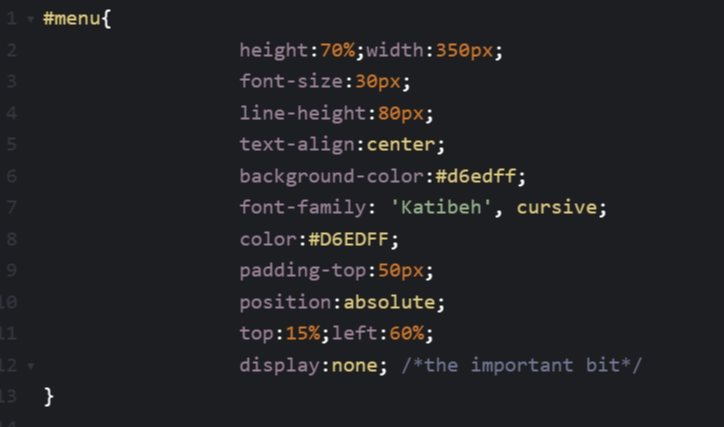
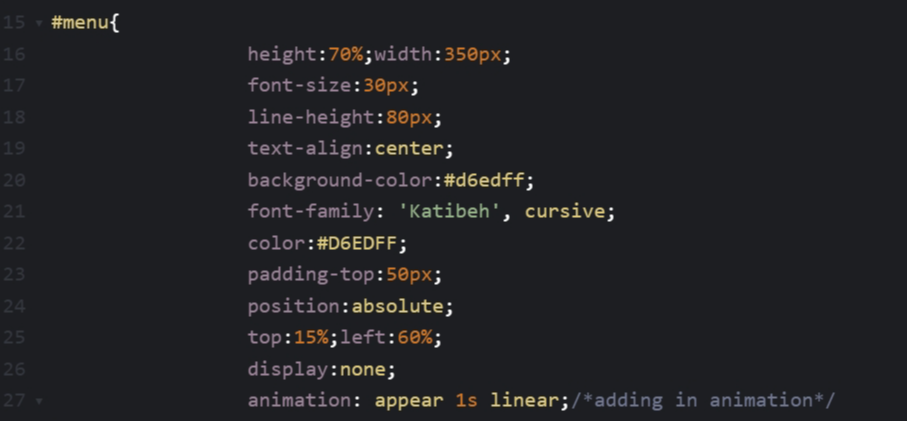
Create a menu and icon and style them the way you want! The key part is set it to be invisible (display:none) at first.
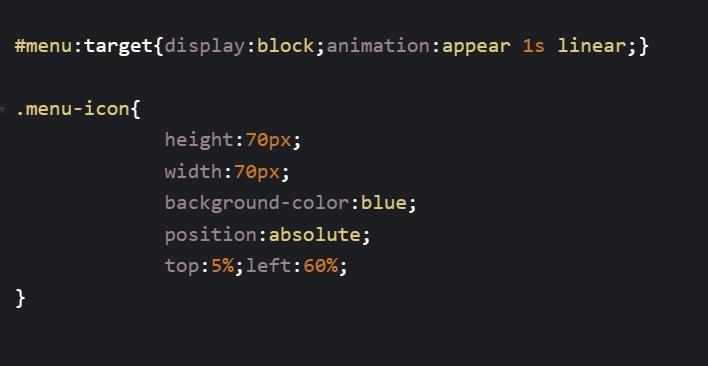
Then set it to be visible when a link linking to this element is being clicked on. The menu icon is to contain such a link that create an effect of the menu appearing when the icon is being clicked.
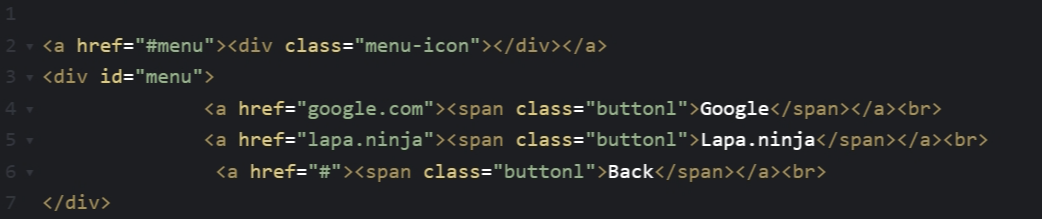
The HTML Now add in the HTML code and see how it works out.
Congrats, the effect looks great! Now lets add in a bit more animation to make the transition more smooth.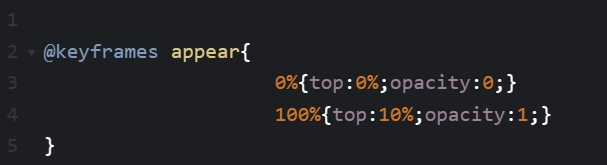
 Hope you enjoy the tutorial today, see you next time. If anything is hard to understand on this page, send me an email : )
Create a menu and icon and style them the way you want! The key part is set it to be invisible (display:none) at first.
Then set it to be visible when a link linking to this element is being clicked on. The menu icon is to contain such a link that create an effect of the menu appearing when the icon is being clicked.
The HTML Now add in the HTML code and see how it works out.
Congrats, the effect looks great! Now lets add in a bit more animation to make the transition more smooth.
Hope you enjoy the tutorial today, see you next time. If anything is hard to understand on this page, send me an email : )