The CSS
The @keyframes rule is a special css code dedicated to create animations, we will use it to create an autoplay slideshow today!
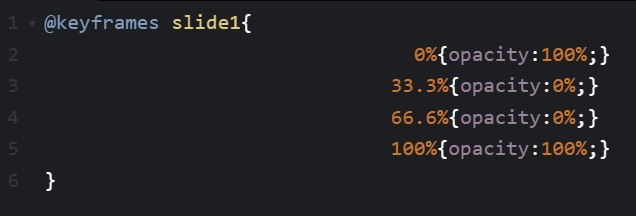
Create animation for slide1, letting it appear first and vanish.
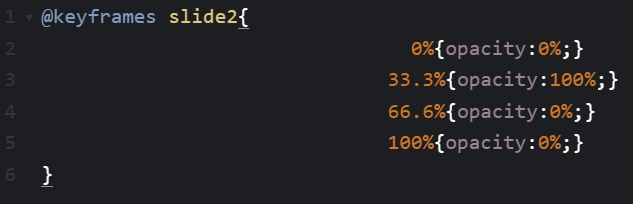
Create animation for slide2, letting it appear after slide1 and then vanish.
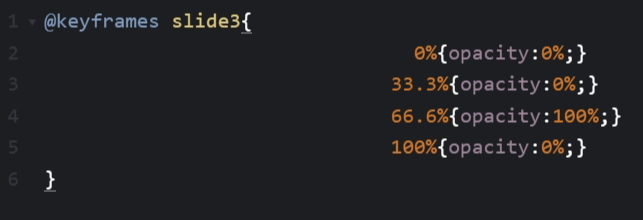
Create animation for slide3, letting it appear after slide2 and then vanish.
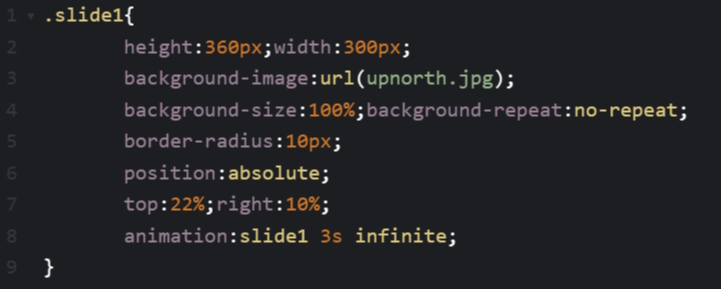
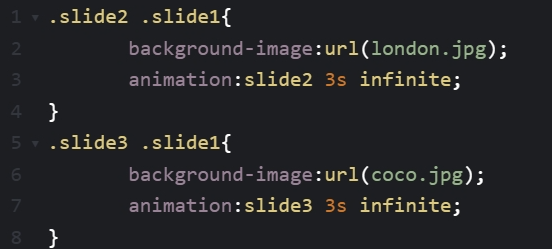
Now lets style the slides with normal css and add animation to them with animation:
The HTML Now add in the HTML code and see how it works out.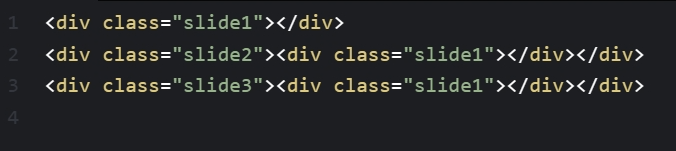
Looks okay, but to give the viewer more time to see each slides clearer, we have to add in a few more timepoints in the animation code.
Improved animation code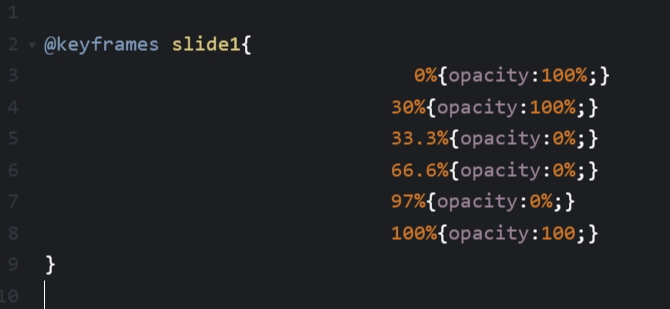
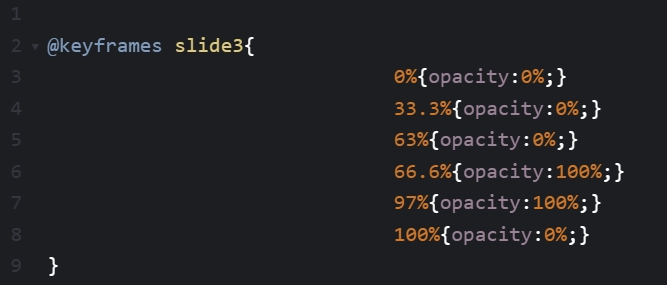
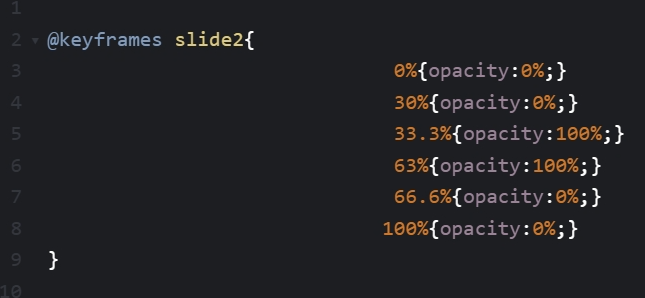 By adding in the extra timepoints, the slides only disappear when the next slide is about to appear and only appear when the
other slide is about to disappear. This gives the viewer more time to read the slides. I hope you like this tutorial, feel free
to explore other parts of my website and email me if you dont understand anything : )
By adding in the extra timepoints, the slides only disappear when the next slide is about to appear and only appear when the
other slide is about to disappear. This gives the viewer more time to read the slides. I hope you like this tutorial, feel free
to explore other parts of my website and email me if you dont understand anything : )
The @keyframes rule is a special css code dedicated to create animations, we will use it to create an autoplay slideshow today!
Create animation for slide1, letting it appear first and vanish.
Create animation for slide2, letting it appear after slide1 and then vanish.
Create animation for slide3, letting it appear after slide2 and then vanish.
Now lets style the slides with normal css and add animation to them with animation:
The HTML Now add in the HTML code and see how it works out.
Looks okay, but to give the viewer more time to see each slides clearer, we have to add in a few more timepoints in the animation code.
Improved animation code
By adding in the extra timepoints, the slides only disappear when the next slide is about to appear and only appear when the
other slide is about to disappear. This gives the viewer more time to read the slides. I hope you like this tutorial, feel free
to explore other parts of my website and email me if you dont understand anything : )